
Swipe to review
Review with fast swipe gestures. Swipe what you know, keep what you don't, and build momentum every session.
Memoraft turns your notes, slides, and photos into clean flashcards in seconds. Review with fast swipe gestures and build a daily habit that sticks.
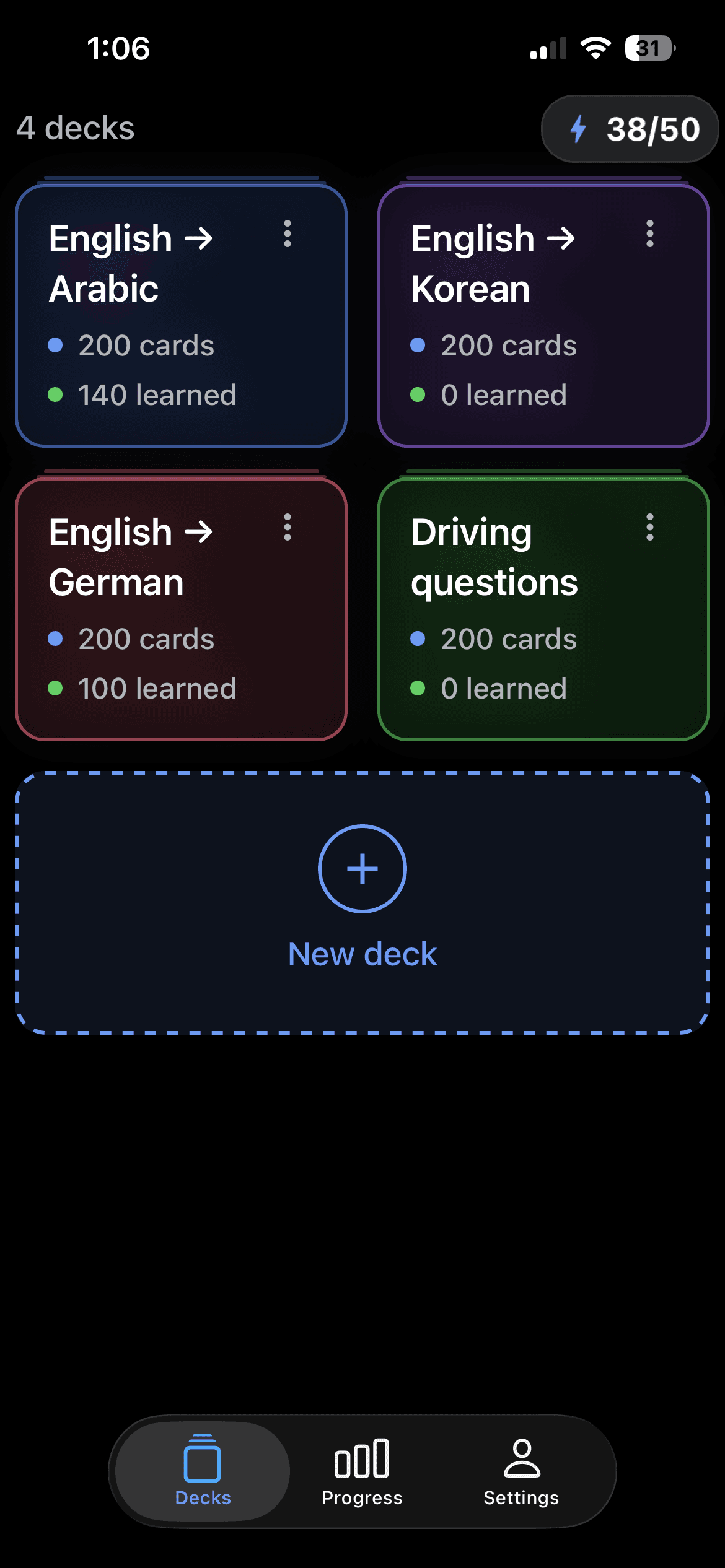
Everything you need
Capture, review, and remember. Memoraft brings the whole study loop into one calm, focused app.
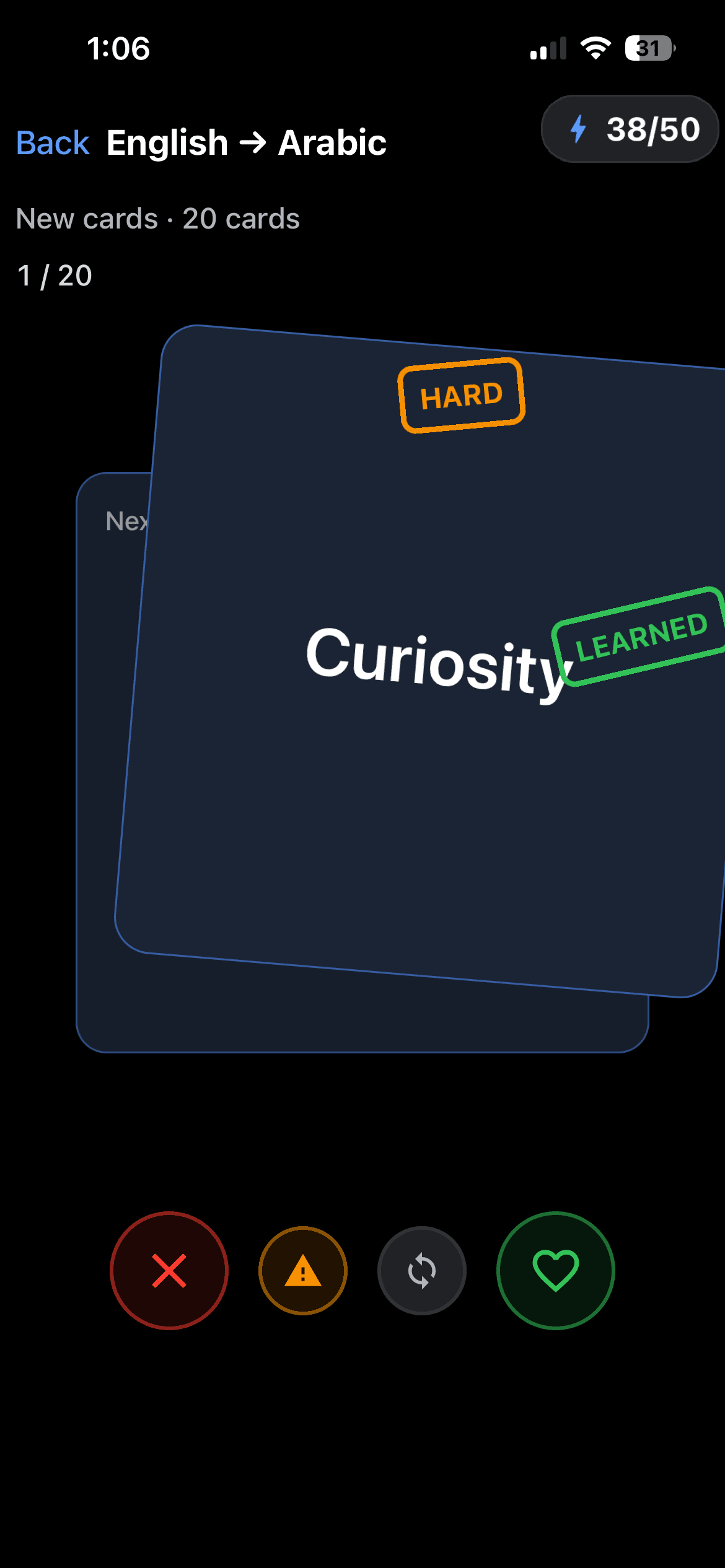
Review with fast swipe gestures. Swipe what you know, keep what you don't, and build momentum every session.
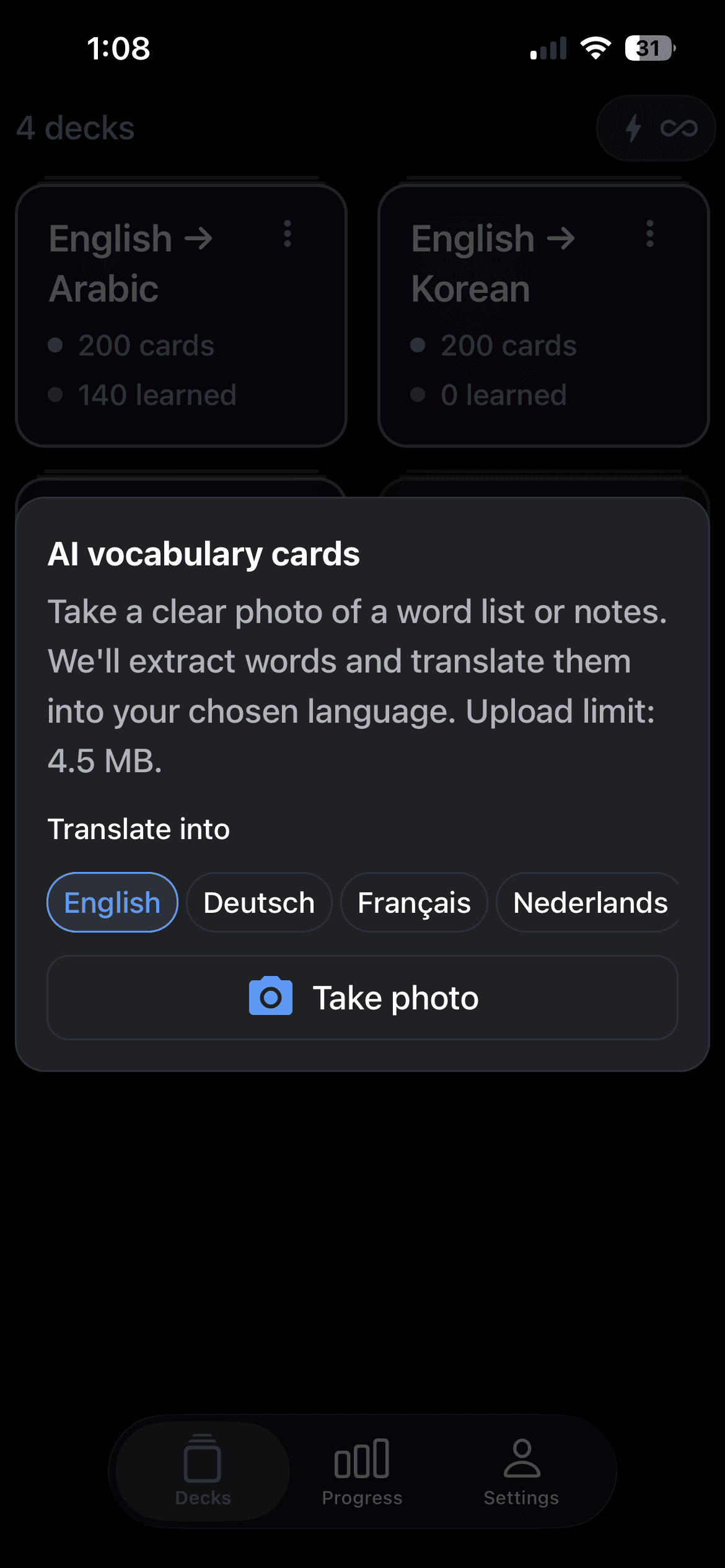
Turn photos into study decks. Snap your notes, slides, or textbook pages and get clean flashcards in seconds.
Jump in instantly with ready-made decks for languages, sciences, and everyday skills.
Build habits with quests and progress. Track streaks, daily goals, and what you've truly learned.
How it works
Take a picture of your notes, a textbook page, or a vocabulary list.
Cards are generated automatically with fronts and backs, ready to review.
Study right away with swipe gestures, then track your progress over time.
Memoraft Pro
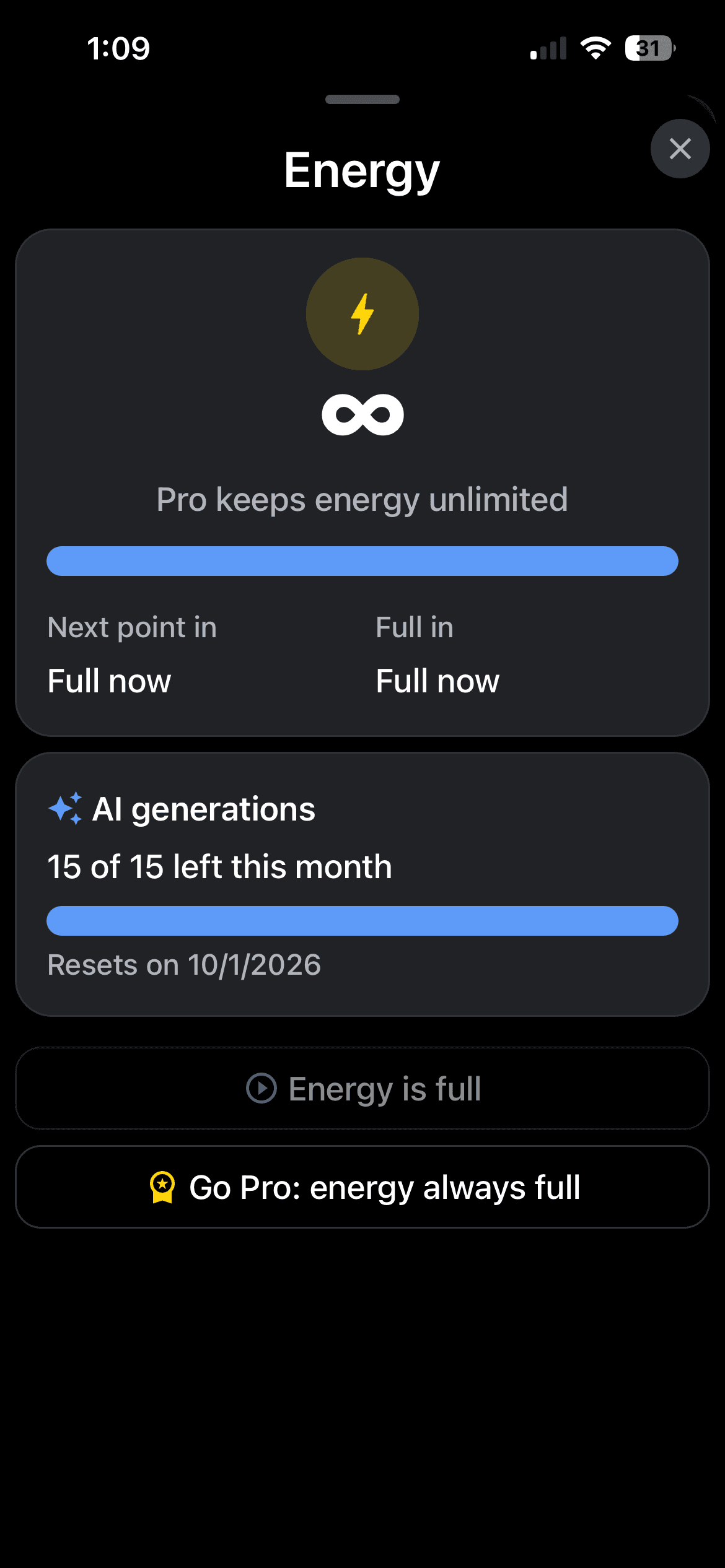
Go Pro to remove energy waits and unlock AI deck creation. Subscriptions renew through your App Store account and can be cancelled anytime.
Unlimited energy
Study longer with Pro. Keep reviewing without waiting for energy to refill.
More decks
Grow your library beyond the free-tier limit and organize everything your way.
AI deck creation
Unlock AI features to build decks from your own images and photos.
Privacy first
Your decks and progress stay on your device. No account required to start.
Works offline
Review your cards anywhere, even without a connection.
Cancel anytime
Subscriptions are managed through your App Store account. No lock-in.
Download Memoraft and turn your first photo into a deck in seconds.